

UX/UI Design for Circumtec’s Unattended Payments on PAX IM25 and IM30 Terminals
Summary
UX/UI system for unattended Android payment terminals (PAX IM30 and IM25) integrated into self-service environments. Designed to guide cardholders through fully autonomous payment flows with clear interaction cues, high-visibility transaction states, and hardware-aware interface logic. The system balances touch interaction, NFC positioning, and real-world visibility constraints to ensure reliability in kiosk-based deployments.
Table of contents
Team at the Project:

Łukasz
UX/UI

Piotr
UX Lead
Time Spent (110h):
UX/UI Demo for PreAuth in 4 UI styles: 40.5h
UX/UI Design for Circumtec’s app for both IM30 Vertical Orientation and IM25, Vertical and Horizontal Orientations: 69.5h
1. About the Client
Circumtec is a Melbourne-based cashless payment provider founded in the early 2010s. The company delivers complete hardware and software solutions for unattended sales — including vending machines, laundromats, and self-serve car or dog washes.
Their system is compatible with over 200 machine models, combining credit/debit and mobile wallet acceptance with real-time telemetry. Originally launched as a telemetry service, Circumtec evolved into a fully integrated cashless + monitoring solution, giving operators live inventory, sales data, and cloud-based reporting.
They were among the first in Australia to adopt PAX Android-based payment terminals — specifically the PAX IM25 and IM30 — enabling modern tap-and-go experiences on unattended machines.
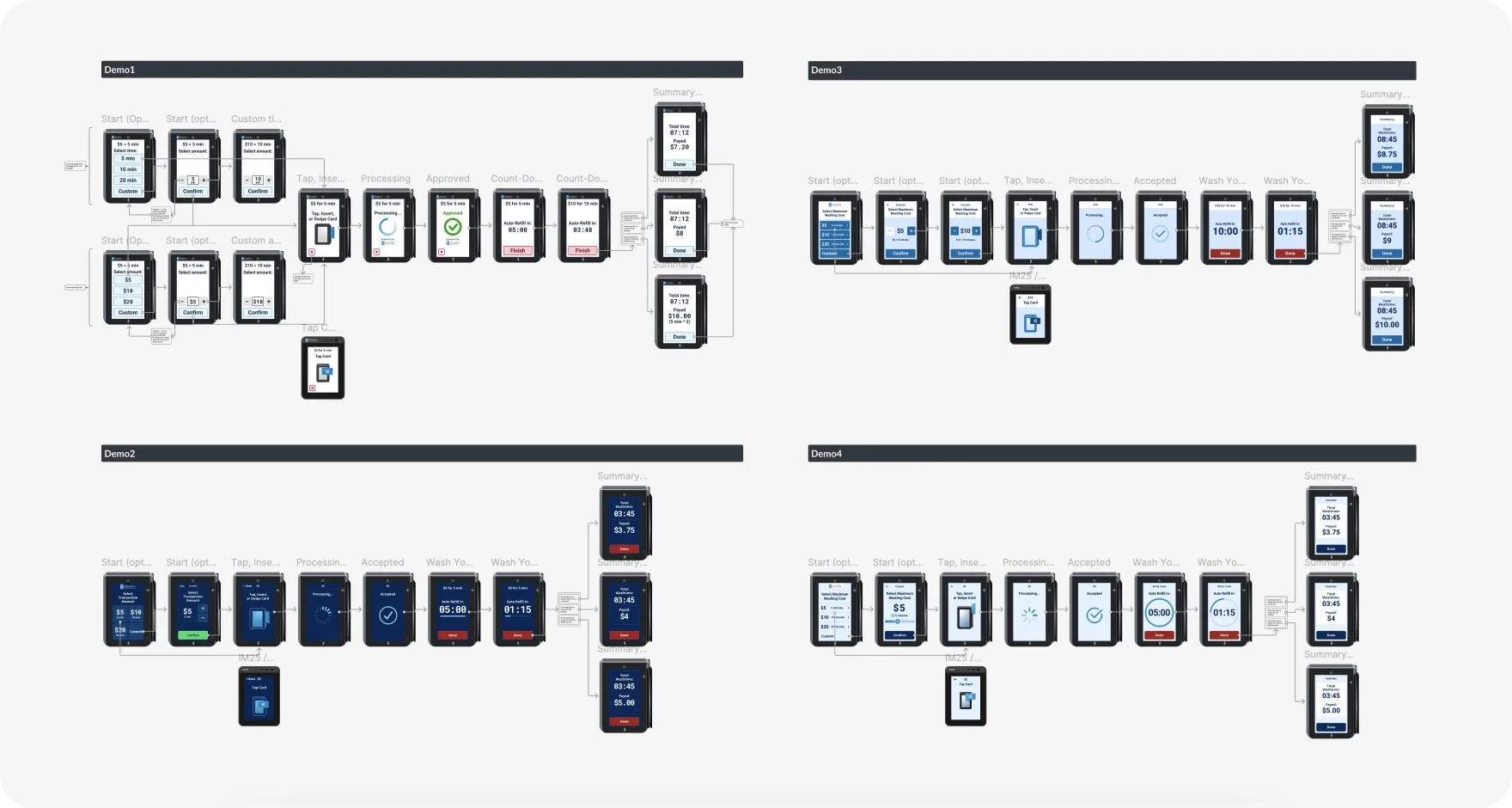
2. We Started with 4 UX/UI Demos
Before moving into full production design, we prepared four distinct UX/UI demo concepts for Circumtec’s unattended payment experience. The goal was to explore different visual directions and interaction models tailored specifically to car wash environments, that would match Circumtec's brand voice.
The demos focused exclusively on two core unattended scenarios:
- Car Wash — Self-Service Wand
- Car Wash — In-Bay Automatic
Each demo presented a different visual style and interaction hierarchy — testing typography weight, contrast strategy, button prominence, NFC guidance visibility, and transaction-state clarity.
Because unattended car wash environments operate outdoors and often under direct sunlight, the interface had to prioritize legibility, large tap targets, strong color contrast, and immediate system feedback.
These four demos allowed Circumtec to evaluate not just aesthetics, but also usability performance in real-world deployment conditions before finalizing the system direction.
3. Project Scope
The Project focused on designing a complete User Experience for unattended payment and self-service scenarios, running on PAX IM25 and IM30, Android-based payment terminals.
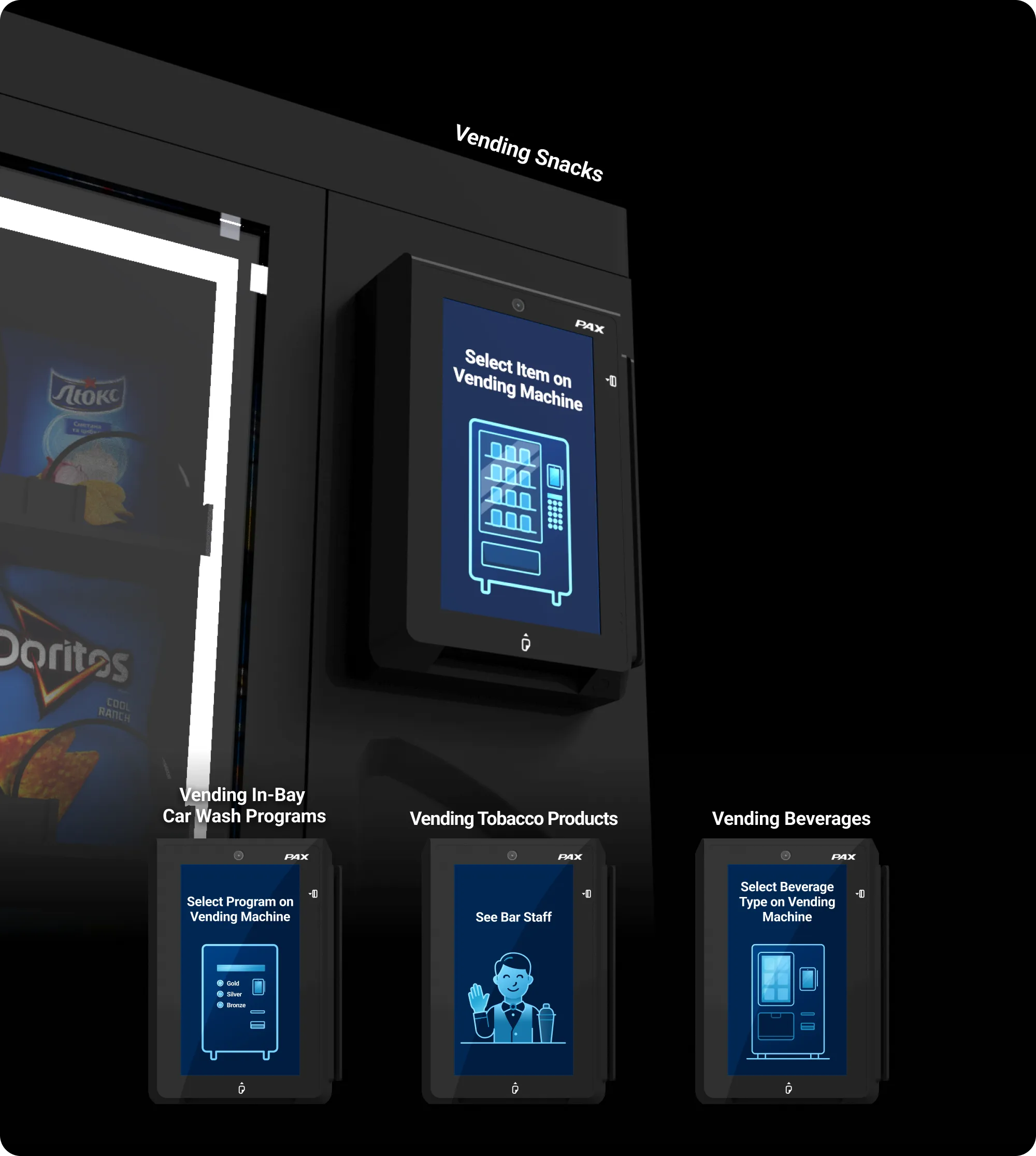
The UX/UI Design covered five distinct use-cases across car wash and vending environments:
- Car Wash — Self-Service Wand
- Car Wash — In-Bay Automatic
- Vending Snacks
- Vending Beverages
- Vending Tobacco Products
Each use-case required its own payment flow — from single-tap fixed-price transactions to multi-option selection and pre-authorized count-up sessions. In addition to screen design, the scope included the creation of vector-based UI animations in JSON format, supporting key moments such as prompting Users to tap their card, indicating payment progress, and providing visual feedback on successful or failed transactions. The overall goal was to deliver a clear, intuitive, and responsive User Experience tailored to self-service environments.
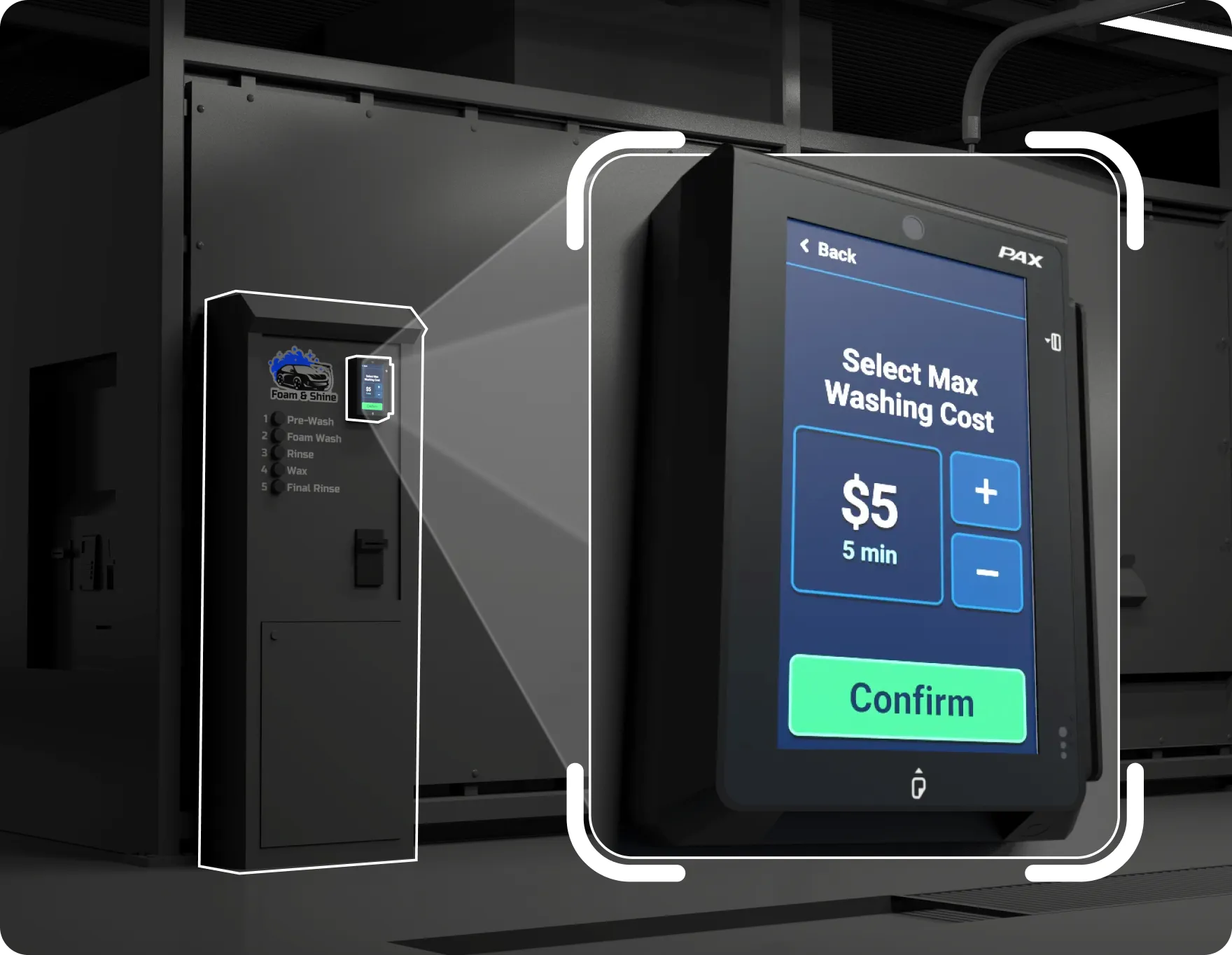
Use-Case 1 – CarWash (Self-Service Wand)
The self-service wand car wash was the primary scenario the payment interface was designed around. It required support for all three Payment Modes, as customers interact with the terminal differently depending on the wash setup — paying a fixed price, choosing from a menu of options, or running a timed session.
The UI needed to support 3 different Payment Modes:
- Single Price: one fixed payment upfront,
- Multiple Prices: user selects from a few price options,
- Pre-Authorized Count-Up: a timed session where payment is finalized after use, based on duration.
Project aimed to improve usability, ensure visual clarity across different devices, and support both portrait and landscape orientations.


One of the design challenges we addressed was adapting the interface for horizontal orientation, used on some installations of the PAX IM25 terminal. Unlike the standard vertical layout, the horizontal setup required us to rethink screen composition, spacing, and element alignment to maintain clarity and usability.


Use-Case 2 – CarWash (In-Bay Automatic)
The in-bay automatic car wash uses the Single Price mode. The customer drives into the bay, taps their card on the terminal to pay a fixed price, and the automated wash cycle begins. There is no program selection — one price, one wash. The interface is kept deliberately minimal for this scenario: display the price, prompt for the card, confirm the transaction, and signal the machine to start. Designed for speed and zero friction in a drive-through setting.
Use-Case 3 – Vending Snacks
In snack vending, the terminal uses the Multiple Price Selection mode. The customer approaches the machine, selects a product from the available options displayed on the screen, and taps their card to pay. The transaction is instant — no change needed, no coins jammed. The interface presents clear pricing for each item, making the purchase decision fast and frictionless.
Use-Case 4 – Vending Beverages
Beverage vending, much like snack vending, uses the Multiple Price Selection mode. Customers choose from a selection of drinks — water, soft drinks, energy drinks — each clearly priced on screen. The tap-to-pay flow keeps the interaction under a few seconds. The terminal's compact form factor fits naturally alongside the machine's existing selection buttons or touchscreen.
Use-Case 5 – Vending Tobacco Products
Tobacco vending uses the Single Price mode with age-verification considerations built into the deployment. The terminal presents a straightforward single-tap payment flow. Because tobacco products typically fall within a narrow price range per item, the interface stays minimal — display the price, prompt for the card, confirm the transaction. Clean and compliant.
Custom Vector Animations
The animations played a key role in shaping the user experience by making the interface more predictable, responsive, and human-friendly. In unattended settings, where there is no staff to assist, users need clear visual signals to understand what’s happening and what to do next.
Animations helped reduce cognitive load by visually guiding users through the process — from tapping the card to receiving confirmation — and by reinforcing system feedback in a more engaging and intuitive way. Subtle motion cues increased users’ confidence and made interactions feel smoother and more natural.
We prepared:
- Tap Card Animation to clearly signal when the user should present their card,
- Loading Spinner Animation to show that the transaction is in progress,
- Success Checkmark Animation confirming that the payment went through,
- Error “X” Icon Animation to indicate when something went wrong.
All animations were delivered in JSON format, making them easy to implement and ensuring smooth performance on PAX IM25 and IM30 terminals.